Laravel
PHP applications with deployments, queue workers and a scheduler.
 PilotBY REDDES
DEPLOYMENT AND SERVER MANAGEMENT
Deploy Laravel, Node.js and static sites from GitHub. Manage your servers and keep track of your applications in one place.
SUPPORTED APPLICATIONS
PHP applications with deployments, queue workers and a scheduler.
Ready-to-serve HTML or frontends built with Vue, React and other frameworks.
APIs and applications such as Next.js and Nuxt, with configurable versions and start commands.
Connect your fresh Ubuntu 24.04 LTS server to Pilot. Then configure your application, publish your code and follow its operation in the panel.
 / 01
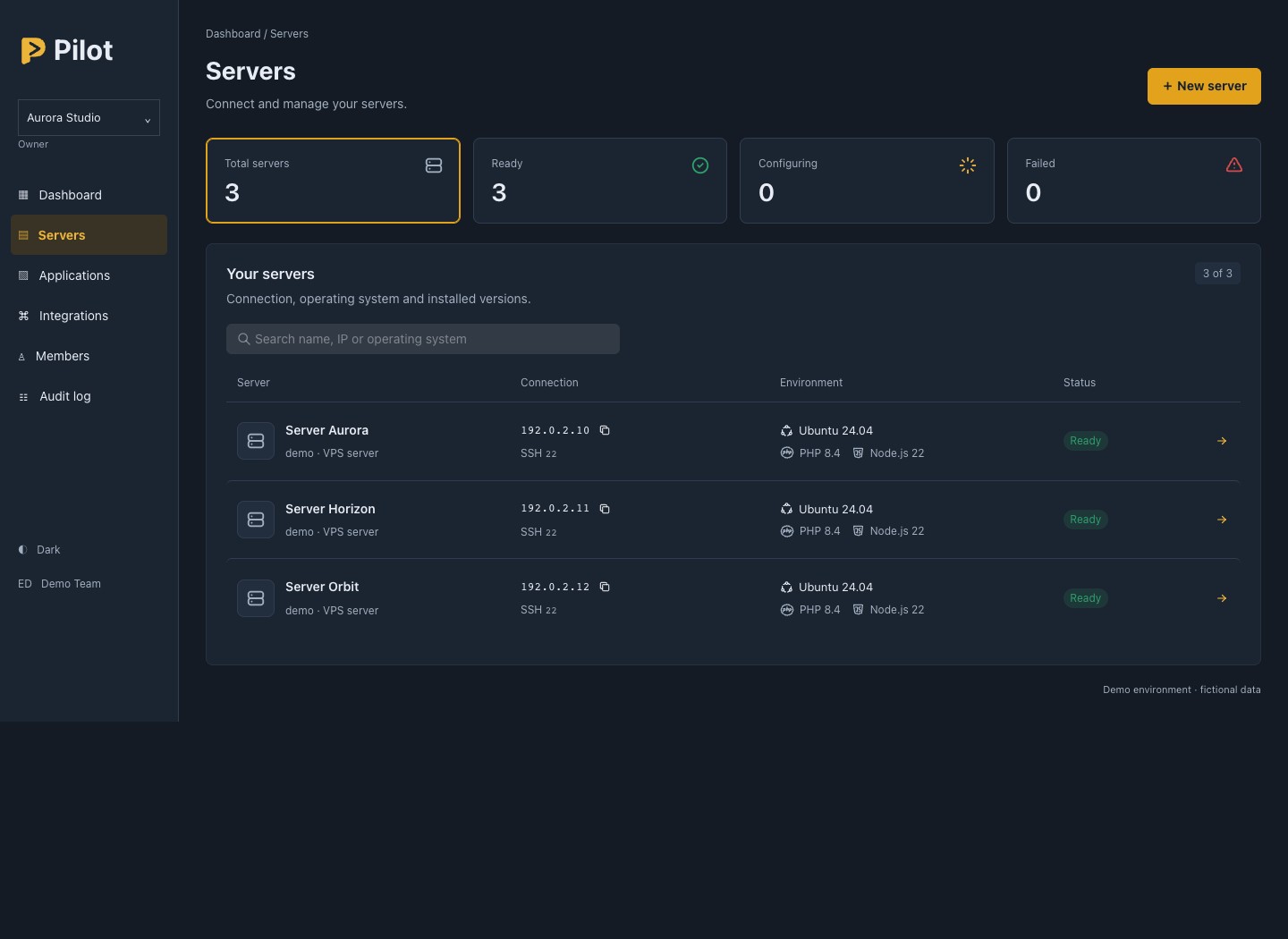
/ 01Manage your servers and VPS in one panel. Check their connection, operating system and available PHP and Node.js versions.
 / 02
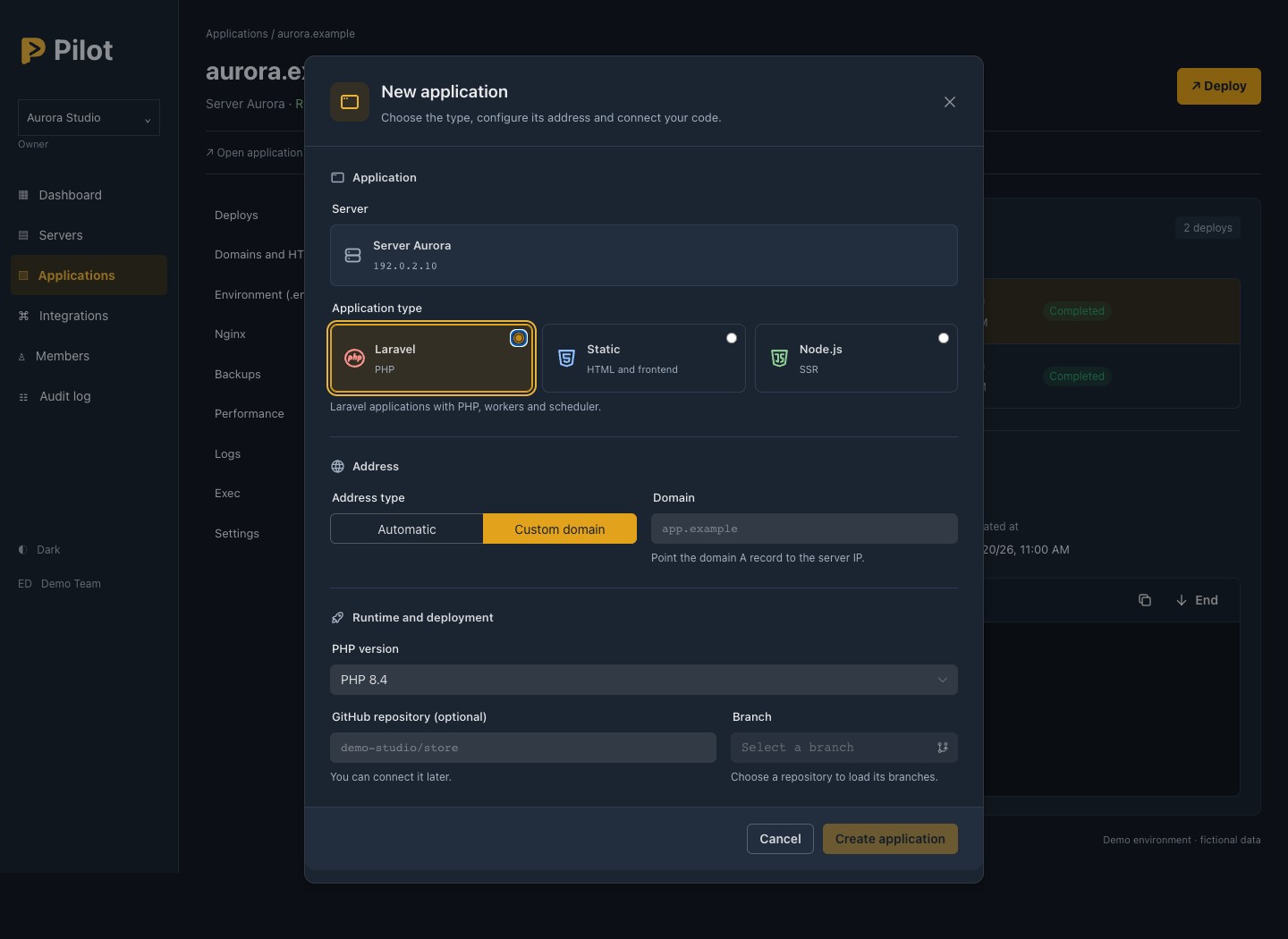
/ 02Connect a GitHub repository, select a branch and choose the server and domain. Configure each application for its technology stack.
Choose the PHP version for Laravel, the publish directory for HTML or a built frontend, and the version and start command for Node.js.
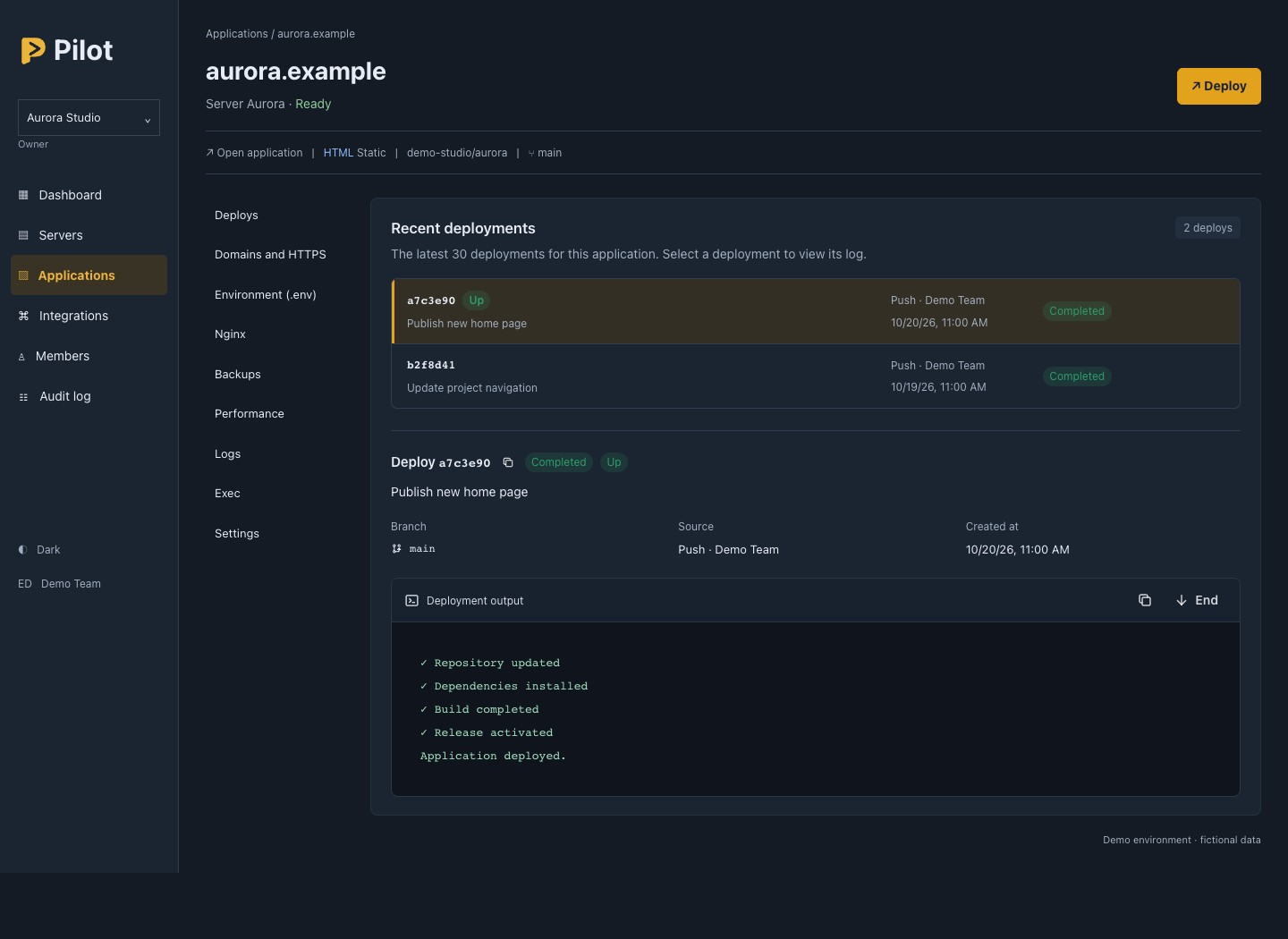
/ 03Deploy from the panel or enable automatic deployment on push. Follow execution logs and check the branch, commit and result of each deployment.
Identify the live version and roll back to an earlier release from the panel.
 / 04
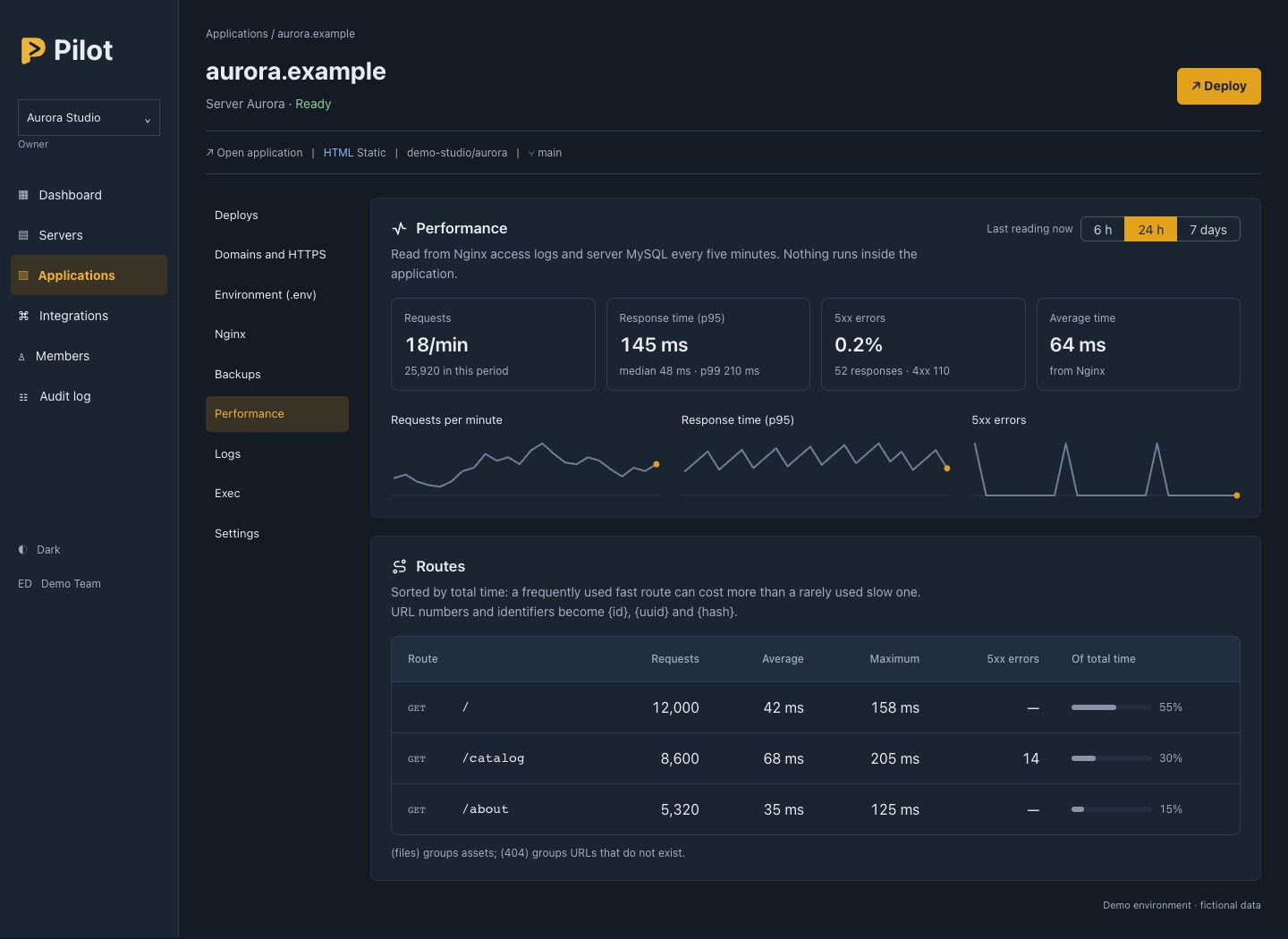
/ 04Check request volume, response times and HTTP errors. Compare routes to identify slow responses and application failures.
With monitoring configured on the server, follow application metrics in the panel.
 / 05
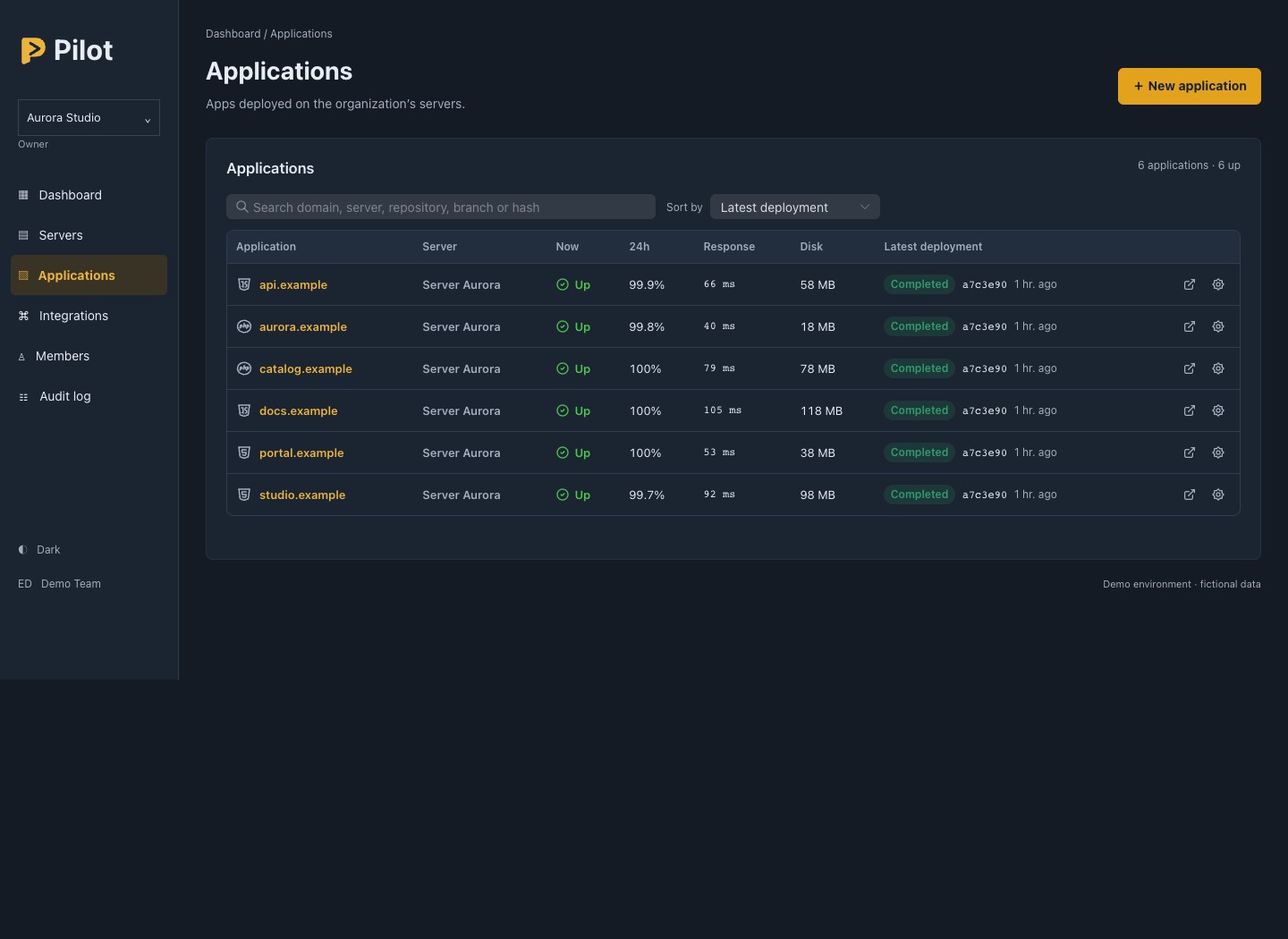
/ 05Find an application by domain, server, repository or branch. Check availability, response, disk usage and the latest deployment in the list.
Find the project that needs attention and open its configuration, deployments and metrics in the same panel.
 / 06
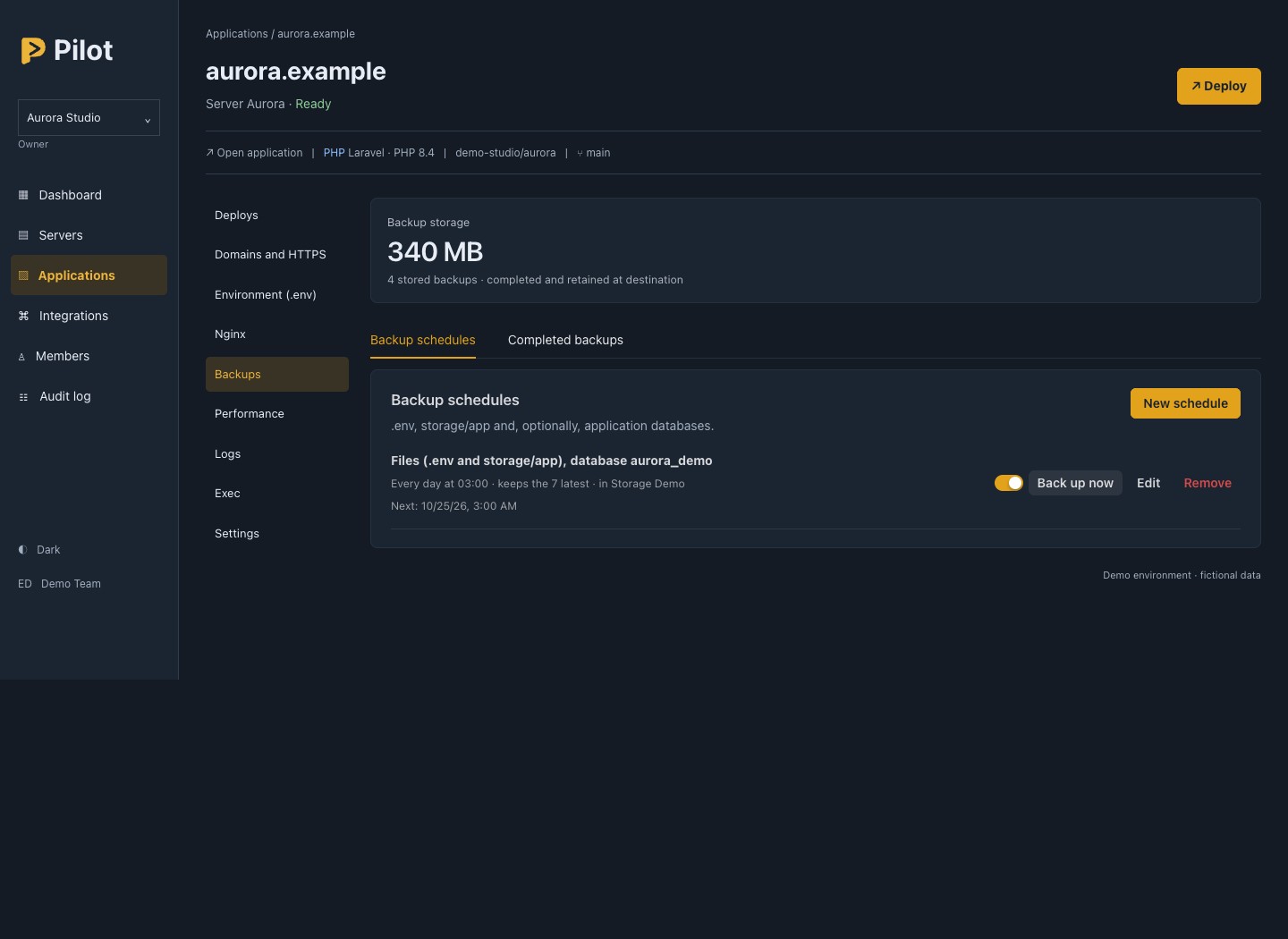
/ 06Back up files and databases. Choose the destination, schedule and number of copies to retain; follow backup history and storage usage.
Run a manual backup or restore one from the panel. Included in Pro and Business plans.
After deploying, use Pilot to configure HTTPS for your domain. For Laravel applications, also manage queues and scheduled tasks.
Add application domains and activate the SSL certificate from the panel. Pilot tracks the certificate and renews HTTPS automatically.
Point your domain's DNS to your server.
Configure processes for email jobs, notifications and other background tasks. Set the queue, retry count and execution timeout.
Adjust the process count and restart workers from the panel.
Enable the scheduler to run Laravel's scheduler every minute, allowing the application to process its scheduled tasks.
Tasks and their schedules remain defined in your application code.
Plans give you access to the management panel. On Free, connect one server and manage up to two applications; Pro and Business add capacity and backups.
Prices in USD; applicable taxes are added by Paddle at checkout.
FOR YOUR FIRST PROJECTS
Deploy and monitor up to two applications on your server.
US$0 /month
FOR GROWING PROJECTS
Manage up to three servers, with file and database backups.
US$12 /month
FOR LARGER OPERATIONS
Bring your company or agency projects together, with unlimited servers and applications.
US$29 /month
Backup storage is shared across the organization’s applications and includes all retained copies.
Plans include management through Pilot. You purchase and pay for servers separately.
START ON THE FREE PLAN
Already have a server or VPS? Create a free account, connect your server to Pilot and manage up to two applications. Contact Reddes to choose a plan for your company or agency.
Create your free accountTell us what you need. We’ll reply to the email address you provide.